
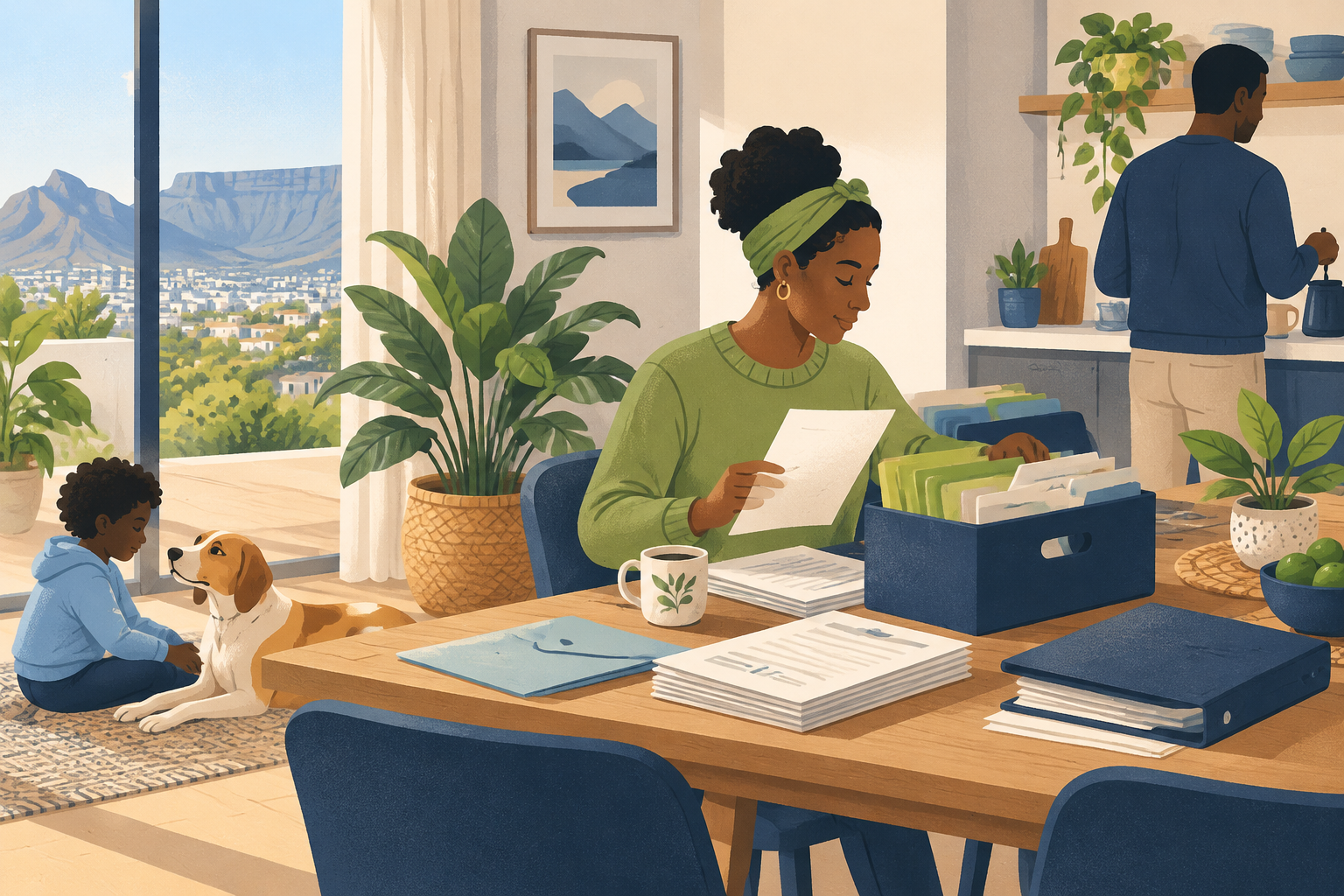
How to organise important documents without the overwhelm
19 October 2026 · 17 min read
Bring scattered household paperwork into a simple system. Learn how to sort, name, store and review important documents, with care for originals.
Could you find your household’s essential paperwork without searching drawers, inboxes and downloads? Learning how to organise important documents starts with giving the papers and files you already have a clear home. You do not need to tackle every cupboard at once. Begin with a manageable batch, group documents by household need and set aside anything that needs checking before you scan, move or discard it.
The aim is a system your household can understand and maintain. That means familiar folder names, readable digital copies and a deliberate place for important originals. It also means protecting sensitive information, checking retention requirements and helping a trusted person locate essentials if needed. This guide takes you through those decisions, then shows how a regular paperwork check-in and clear reminders can help you stay ahead of renewals and unfinished admin.
Key takeaways
- Gather a manageable batch of papers and digital files, then sort them into familiar household categories before tackling another drawer, inbox or folder.
- Check original-document and local retention requirements before shredding papers or deleting files. Keep uncertain documents separate, with a clear question and a reminder to review.
- Match paper and digital folder labels where practical, and name files consistently using the document type, relevant person or property, and a meaningful date.
- Protect sensitive originals and digital copies with suitable storage, sensible access controls and a separate backup. Give a trusted person clear directions for emergencies.
- Build a regular paperwork check-in into household life. Identify actions, file documents, verify renewal deadlines and set reminders that explain what needs doing.
In this guide
- Start with the papers and files already around your home
- Decide what to keep, scan, check or shred
- Make documents easier to find with clear names and folders
- Store sensitive documents carefully and plan emergency access
- Build a routine that keeps paperwork manageable
Start with the papers and files already around your home
Gather a manageable batch from drawers, email attachments and downloads
Start with what is already within reach. Leave the loft boxes and old filing cabinets for another day. Pick a drawer, a pile of post or a folder on your laptop that feels manageable.
If you are wondering how to organize important documents, give yourself a clear starting point: gather a small batch, decide what belongs together and choose where it will live.
Make some space on a table for paper documents. For digital files, create a temporary folder with a plain name, such as “Documents to sort”. Treat it as a holding place, not the final destination.
Look through places where paperwork tends to land in your household:
- Drawers, trays, bags and piles of unopened post.
- Email attachments you have saved or left in your inbox.
- Downloads folders on household computers.
- Photos or scans of paperwork on your phone.
Keep the scope small. You do not need to empty every drawer or search every inbox before you begin sorting. Finish the batch in front of you, then decide whether to gather more.
As you go, set aside anything you do not recognise. Avoid making a rushed decision about keeping or disposing of it. Give uncertain papers their own “Review” pile so they do not hold up the rest.
For shared paperwork, ask the relevant person before moving, renaming or discarding anything. Agree on a home for it that makes sense to everyone who needs access.
Sort by household need: identity, home, health, money, insurance and vehicles
Sort according to why your household might need a document, rather than where you found it. Use these categories as starting points, and leave out any that do not fit your life.
- Identity: Gather identity documents and related personal records. Where helpful, separate them by household member.
- Home: Group paperwork connected to where you live, such as tenancy documents, property records and household agreements.
- Health: Keep health-related letters, records and appointment paperwork together. Consider separate folders for each person.
- Money: Collect statements, bills, receipts and other financial paperwork. Choose labels that reflect what you would look for.
- Insurance: Group policy documents and related correspondence by what they cover.
- Vehicles: Bring together ownership paperwork, service records and other documents for each household vehicle.
Use the same category names for paper folders and digital folders where practical. Choose everyday language over clever labels. Ask yourself: “Where would I look for this?”
If something could belong in several places, pick the category that feels most natural. Avoid creating extra folders just to accommodate every possible overlap.
Before stopping, put the sorted batch in its chosen home. Keep anything that needs action separate from reference material, with a clear note about what to do next. Leave your review pile somewhere deliberate, ready for your next sorting session.
Further reading: Department of Home Affairs.
Decide what to keep, scan, check or shred
Check original-document requirements before relying on a phone scan or digital copy
When deciding how to organize important documents, give each paper a clear next step: keep, scan, check or shred. Make “check” your holding place for anything you are unsure about. Leave the shredder out of the process until those questions are settled.
Start with the papers you would feel least comfortable losing. These might include identity documents, signed agreements, certificates or papers relating to your home. Rather than guessing whether a photo is enough, ask the organisation handling the document what it needs.
Keep your questions specific:
- Do you need to keep the original?
- Would a digital copy be accepted for the purpose you have in mind?
- Does the copy need certification or a particular format?
- Are there signatures, stamps, attachments or reverse sides to include?
Avoid treating an answer about a particular application as permission to discard the original altogether. Ask separately about keeping the paper, and note who gave you the guidance and when.
For anything you choose to scan, make a readable copy. Check the edges, small print and any handwritten notes. Include relevant pages and attachments, then open the saved file to inspect it before putting the paper away.
Choose a file name that means something to your household. Use the document subject, the organisation and a relevant date where helpful. Avoid vague labels such as “scan” or “final copy”.
Give retained originals a named home, too. Add a note beside the digital copy saying where the paper lives. If you are still waiting for an answer, label it “original requirements to check” rather than marking it ready to shred.
Check relevant local retention requirements before shredding papers or deleting files
Treat disposal as a separate decision from tidying. Before removing a document, check the relevant local guidance for that document and your circumstances. Look for guidance from the responsible authority or organisation, and seek qualified help if you cannot work out what applies.
Do not choose a disposal date just because a folder feels old or crowded. Instead, ask:
- Is there a relevant retention requirement to follow?
- What event or date should any retention period run from?
- Is the document connected to an unresolved matter?
- Does the guidance cover paper originals, digital copies or both?
Keep uncertain papers and files in a clearly labelled review folder. Write down the question you need answered and set a reminder to return to it. Avoid mixing them with documents you have already approved for disposal.
Once you have checked what applies, record your decision in plain language: what to keep, where to keep it and when to review it again. Share that note with anyone in your household who helps manage the paperwork.
Before shredding or deleting, pause for a final check. Confirm that you have selected the intended document, kept anything still needed and dealt with any outstanding questions. Aim for a deliberate decision, not an empty folder.
Further reading: Fire Protection Association of Southern Africa.
Make documents easier to find with clear names and folders
Use broad, matching categories for paper folders and digital files
When deciding how to organize important documents, start with categories that make sense to your household. Think about where you would look for a letter, certificate or policy when you need it. Use that instinct to guide your folder names.
Try broad labels such as Home, Money, Insurance, Health, Vehicles and Personal records. Treat these as suggestions, not a fixed system. If you rent, you might prefer Tenancy to Home. If you keep paperwork for someone you care for, give their documents a clearly named folder.
Use the same labels on your paper folders and digital folders. A paper folder labelled Vehicles should have a digital equivalent called Vehicles, rather than something vague like Other paperwork. Aim for a matching structure, even when some documents exist only on paper or only as digital files.
Within each category, add subfolders only where they feel useful. Under Home, you might choose Repairs, Appliances and Property documents. Avoid creating a separate folder for every letter. Before adding another layer, ask whether you would remember to look there.
Agree the labels with anyone who shares responsibility for household admin. Use familiar words rather than abbreviations that need explaining. Make space for each person’s way of thinking, then settle on names you can all follow.
For paperwork you have not sorted yet, create a temporary To file folder. Give it a regular place in your household routine, rather than letting it become the permanent home for anything awkward. If the same kind of document keeps landing there, reconsider your categories.
Name files consistently by document type, person or property, and date
Choose a naming pattern and use it whenever you save, scan or download a document. Try this format:
Document type – Person or property – Date
For example, name an insurance document using the policy type, the relevant person or property, and the date shown on the document. Replace a downloaded name such as “attachment” with something you would recognise without opening the file.
Keep the document type specific. Prefer “Home insurance policy” to “Insurance”, or “Boiler service record” to “House document”. For the middle part, choose a person’s name, a property name or a vehicle registration, depending on what the document concerns.
Choose a date style and stick to it. You could write the year, then the month, then the day. Decide which date matters for each document type: perhaps the issue date for a letter or the service date for a maintenance record. Avoid switching between these without a clear reason.
Where you need to distinguish drafts from signed documents, add a plain status label such as Draft or Signed. Skip names like “final latest updated”.
Start with new arrivals and documents you reach for regularly. Rename older files as you work through them. Keep the routine manageable: choose the folder, apply the name, then put the document away.
Further reading: SARS — South African Revenue Service.
Store sensitive documents carefully and plan emergency access
Protect paper originals, restrict digital access and keep a separate backup
Knowing how to organize important documents is only part of the job. Sensitive paperwork also needs a safe home, sensible access rules and a backup you can reach if the original is lost or damaged.
Keep paper originals somewhere secure, dry and away from everyday clutter. A lockable cabinet or suitable document safe can help protect passports, certificates, property paperwork and signed agreements. Check the manufacturer’s stated fire and water protection before choosing storage. A closed box is not necessarily protective storage.
Keep frequently needed paperwork accessible without leaving it on display. Avoid putting sensitive details on folder labels where visitors could read them. Broad labels such as “Identity” or “Property” are usually enough. Before destroying an original, check whether the relevant organisation requires it. A scan may not be accepted in its place.
For digital copies, start with the accounts and devices that hold them:
- Use strong, unique passwords and a password manager.
- Enable multi-factor authentication where available.
- Keep devices updated and protected with a screen lock.
- Review sharing permissions, especially on folders previously shared with relatives or advisers.
- Remove access when it is no longer needed.
Keep a separate backup rather than relying entirely on the device you use every day. Protect that backup too. An external drive left beside an unlocked laptop does little to reduce the risk of theft.
Conquish can back up household documents to Google Drive on the Premium plan. Review the security and sharing settings of your Google account as part of your household routine. Whichever backup method you choose, check that you can open the saved files and that recent changes are included.
Help a trusted person locate essentials without openly sharing documents or passwords
Emergency access starts with clear directions, not a shared folder containing everything. Choose someone you trust and ask whether they are comfortable helping if you cannot manage household admin yourself.
Create a short emergency access note. Explain where essential paperwork is stored, which organisations may need contacting and who normally handles key household responsibilities. Include practical pointers, such as where to find insurance details, medical information you have chosen to share, or instructions for urgent home repairs.
Keep the note focused on locations and next steps. Do not include passwords, security answers, recovery codes or full identity document details in an openly accessible list.
For digital access, check whether your password manager offers an emergency access feature. Read how it works before relying on it. Avoid sharing your main account password by email or leaving it in a kitchen drawer.
Make sure your trusted person knows where the access note lives and can follow the instructions. Finding a document does not necessarily give them authority to act on your behalf. Ask the relevant organisation what permission or formal paperwork it requires.
Review these arrangements when your household changes. A move, a new policy or a change in relationships can make old instructions unhelpful. Clear, current directions give someone a practical starting point without exposing your private information day to day.
Build a routine that keeps paperwork manageable
Give incoming documents a landing place and file them during a regular household check-in
A filing system is easier to maintain when paperwork has somewhere to go before it is sorted. Choose a tray, folder or drawer for incoming post. Keep it near where you usually open letters, but away from spills and casual view. Ask everyone in the household to use it rather than leaving papers across worktops, bags and bedside tables.
Give digital documents a landing place too. This could be a clearly labelled folder on your device or in your chosen storage service. Save attachments there instead of relying on an email search later. Use recognisable filenames that describe the document, who or what it relates to, and its date.
If you’re working out how to organize important documents, focus on a routine you can repeat rather than an elaborate filing system. Add paperwork to a regular household check-in, alongside the calendar and shopping list.
During that check-in:
- Look for action first. Separate anything that needs a reply, payment, signature or further information.
- Create a clear task. Write “Send the signed consent form” rather than “Sort paperwork”. Give it a due date where needed.
- File what you need to keep. Use broad, familiar categories such as home, health, vehicles and insurance.
- Dispose of what you no longer need. Check retention requirements before discarding records, and shred papers containing sensitive information.
Avoid letting the landing place become permanent storage. Each document should leave the check-in with a home or a clear next action. If someone else needs to deal with it, agree who is responsible.
Check renewal dates yourself and set reminders to act and review older files
Filing a document does not finish the job if it contains a deadline. When you receive a policy, agreement or renewal notice, read it yourself and check the relevant dates. Don’t assume the renewal date is also the deadline for making changes. Notice periods and response deadlines may fall earlier.
Create a reminder that tells you what to do, not just what is expiring. “Review the home insurance renewal and check the response deadline” gives you a useful starting point. Include where the document is stored so you can find it without another search.
Allow time to read the paperwork, discuss it with anyone affected and contact the provider if something is unclear. Check dates against the original document before saving reminders. If a replacement notice arrives, update the task and remove any outdated reminder.
Conquish’s Free plan includes tasks, shopping, reminders, calendar and contacts for one user. You can use tasks and reminders to keep these follow-ups alongside other household admin, while keeping your files in your chosen storage location.
Include older files in your routine too. Look for duplicates, superseded versions and documents that may no longer be needed. Check with the issuer or relevant authority if you’re unsure what to retain. Keep important originals where required, and make sure household members who need access know where to look.
Conclusion
Knowing how to organise important documents helps your household find what it needs and see what needs attention. The benefit is not an empty drawer or a perfectly labelled archive. It is having a clear place to look when a policy needs reviewing, a form needs signing or someone needs an essential record.
Start with the batch in front of you. Choose familiar categories, use consistent file names and give retained originals a deliberate home. Keep uncertain documents until you have checked what applies. A readable scan is useful, but it does not remove the need to confirm original-document and retention requirements.
Then make the system part of everyday life. Give incoming paperwork a landing place. Use a regular check-in to separate actions from reference material, confirm deadlines and review anything waiting for an answer. Protect your files and backups, and keep emergency access directions current.
Conquish brings documents, tasks and reminders alongside other household admin. Premium can also back up household documents to Google Drive. Whatever storage you choose, keep the routine manageable and the next action clear. That is a practical way to conquer the everyday and stay ahead of life.
Start your 30 days of Conquish Premium
Frequently asked questions
Can Conquish back up household documents to Google Drive?
Yes. Conquish can back up household documents to Google Drive on the Premium plan. This can form part of your household’s document routine alongside clear folder names and careful access decisions. Review the security and sharing settings of your Google account, and check that you can open the saved files. Keep important paper originals where required; a backup does not replace checking original-document requirements.
Which Conquish plan includes household document backups to Google Drive?
Household document backups to Google Drive are available on Conquish Premium. When planning your filing system, treat backup as a separate step from sorting and naming documents. Decide where originals will live, which digital copies you need and how you will check the saved files. Review your Google account’s security and sharing settings too, so your household’s backup arrangements reflect who actually needs access.
Does Conquish include reminders on the Free plan?
Yes. The Conquish Free plan includes reminders, alongside tasks, shopping, calendar and contacts for one user. For household paperwork, use reminders to prompt a clear action, such as reviewing an insurance renewal or checking whether an original must be retained. Read the document yourself and confirm the relevant deadline before setting the reminder. Include where the paperwork lives so you know where to look.
Is the Conquish Free plan for an individual or a shared household?
The Conquish Free plan is for one user. It includes tasks, shopping, reminders, calendar and contacts. It can help an individual keep track of the household admin they handle, such as paperwork follow-ups and renewal checks. If you manage documents for other people, agree where shared paperwork belongs and ask before moving, renaming or discarding it. Keep those household agreements separate from your choice of plan.
Can Conquish sync with Google Calendar and Outlook Calendar?
Yes. Conquish syncs two-way with Google Calendar and Outlook Calendar on the Premium plan. For document-related admin, check dates against the original paperwork before adding them to your calendar. A renewal date may differ from the deadline for responding or making changes. Use a clear entry that explains what needs attention, and review it if the provider sends replacement paperwork or an updated notice.
How long is the Conquish Premium free trial?
Conquish offers a 30 day free trial of Premium with no card required. Use the trial to explore how Conquish fits your household’s everyday admin. Start with a manageable paperwork routine rather than moving everything at once. You could focus on clear tasks, renewal reminders and document organisation, then consider how Premium’s Google Drive document backup fits alongside your existing storage and original-document arrangements.
Do I need a payment card to try Conquish Premium?
No. Conquish offers a 30 day free trial of Premium with no card required. You can explore whether it suits the way your household handles paperwork and other everyday admin. Keep the starting point practical: choose a manageable batch of documents and identify any follow-up tasks. Continue checking original-document requirements, retention guidance and access arrangements rather than treating a new filing tool as a replacement for those decisions.
What does Conquish Premium cost monthly or annually?
Conquish Premium costs R79 per month or R749 per year. Payments are processed by PayFast. Premium includes two-way sync with Google Calendar and Outlook Calendar, and can back up household documents to Google Drive. When considering the plan, think about how those features fit your household’s existing routine. Keep your filing decisions practical: clear names, protected originals, checked deadlines and a backup you can open.
Put this into practice
Conquish keeps the tasks, shopping, calendar, money and paperwork of a household in one place, shared with everyone who lives there.
Start 30 days free