
Premium
Document signing
Sign a PDF without printing, scanning or leaving the house.
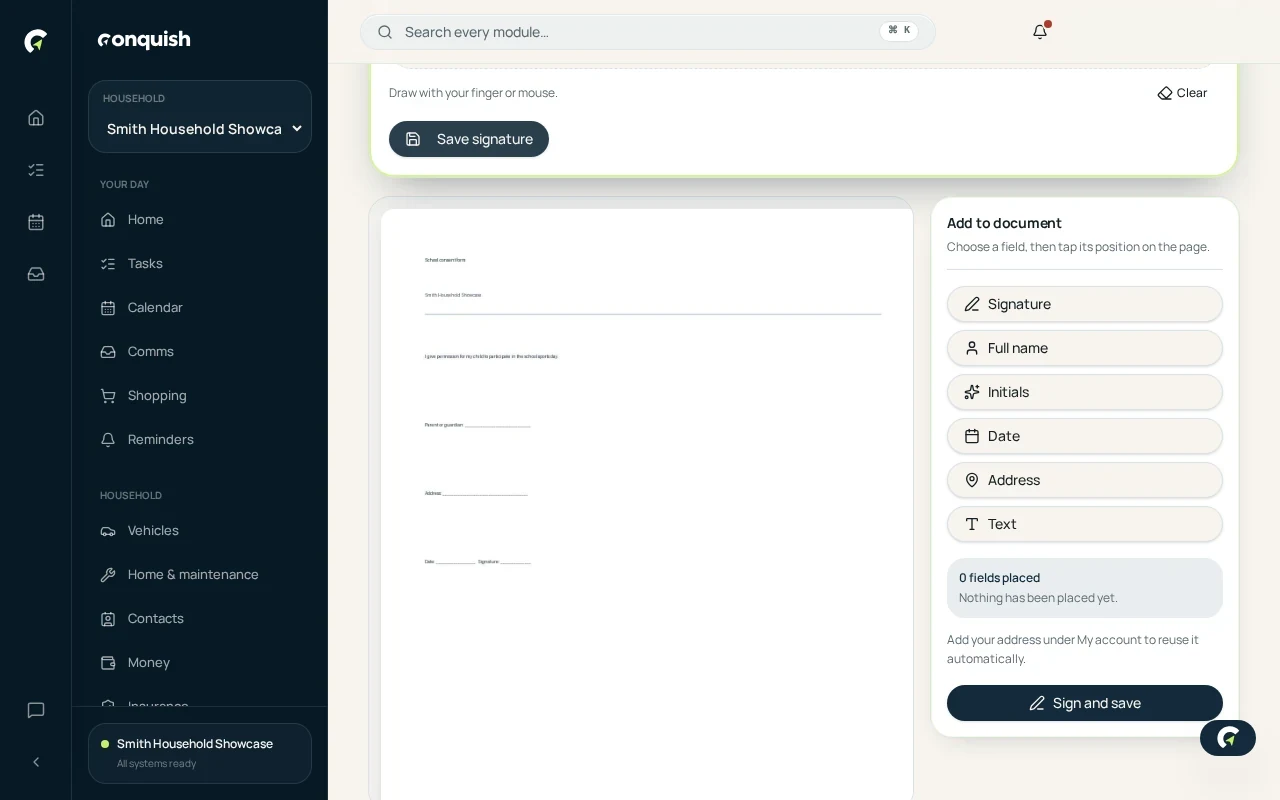
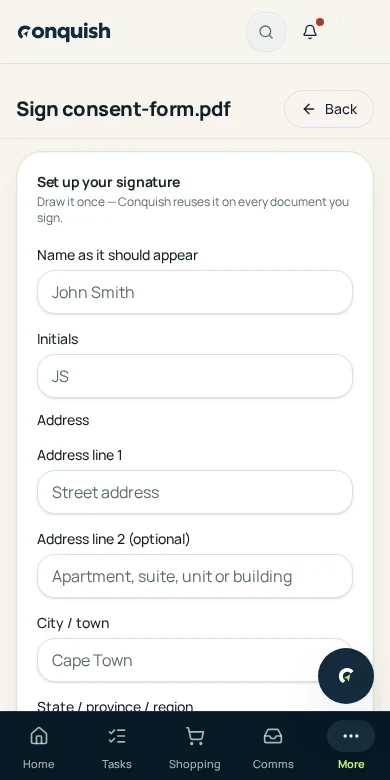
Draw your signature once. After that, any PDF in your household can be signed, dated and saved beside the original in under a minute.
Without it
What usually goes wrong
Print, sign, scan, send
A lease, a school form or a quote turns into an afternoon of hunting for a printer that still has ink.
Photos of signed pages
A crooked phone photo of a signed page is the version that ends up on file forever.
Signatures live on one phone
Whoever signed last has the only copy, and nobody else can find it when it is needed again.
How it works
Document signing in 3 moves
- 01Save your signature onceDraw it with a finger or a mouse under My account, together with your full name and initials. It stays private to you.
- 02Pick the PDFChoose any PDF already in Documents, or upload a new one. Conquish marks where the name, signature, initials and date belong.
- 03Place, sign and saveMove or add any spot by tapping the page, then save. The signed copy is filed next to the original, untouched.
Everything document signing does
- One saved signature, name and initials per household member
- Automatic detection of signature, name, initials and date spots
- Move, add or remove any spot before signing
- The signed copy is saved beside the original, which stays as it was
- Backs up to Google Drive with the rest of your documents
- Everything happens on your device — the file is never handed to a third party
- Private to the member who signs it